
Hello everyone. A friend of me gave me this Cisco WLC in order to perform some tests at home. Since I couldn’t find out the current configuration of the device. I’ve decided to perform a factory reset.
What do we need?
- Console cable
- PuTTy a similiar terminal
First we will connect the console cable to the port intended for this purpose. While starting up, we will see during the boot sequence a message telling us to press <ESC> in order to access to the boot menu.
Press <ESC> now to access the Boot Menu…
Once we pressed it, we will end up into the boot menu and it should look like this.
============================================================
Boot Loader Menu
============================================================
Run primary image (8.0.121.0) - Active
Run backup image (8.0.100.0)
Change active boot image
Clear configuration
Format FLASH Drive
Manually update images

Enter selection: 4
We will choose the option number 4 (Clear configuration). After a while a message will appear asking us if we would like to terminate with the installation now. If we choose yes, we will be guided through a short wizard.
Would you like to terminate autoinstall? [yes]:

System Name [Cisco_41:07:04] (31 characters max): CCIE-WLC
Enter Administrative User Name (24 characters max): cisco
Enter Administrative Password (3 to 24 characters):
Re-enter Administrative Password :
Enable Link Aggregation (LAG) [yes][NO]:
Management Interface IP Address: 192.168.1.206
Management Interface Netmask: 255.255.255.0
Management Interface Default Router: 192.168.1.1
Cleaning up Provisioning SSID
Management Interface VLAN Identifier (0 = untagged):
Management Interface Port Num [1 to 4]: 1
Management Interface DHCP Server IP Address: 192.168.10.1
Virtual Gateway IP Address: 192.168.10.1
Multicast IP Address: 239.255.99.1
Mobility/RF Group Name: Cisco
Network Name (SSID): Elysium
Configure DHCP Bridging Mode [yes][NO]:
Allow Static IP Addresses [YES][no]:
Configure a RADIUS Server now? [YES][no]:
Enter the RADIUS Server's Address: 192.168.1.207
Enter the RADIUS Server's Port [1812]:
Enter the RADIUS Server's Secret: abcd.1234
Enter Country Code list (enter 'help' for a list of countries) [US]: CH
Enable 802.11b Network [YES][no]:
Enable 802.11a Network [YES][no]:
Enable 802.11g Network [YES][no]:
Enable Auto-RF [YES][no]:
Configure a NTP server now? [YES][no]: no
Configure the system time now? [YES][no]: no
Warning! No AP will come up unless the time is set.
Please see documentation for more details.
Would you like to configure IPv6 parameters[YES][no]: no
Configuration correct? If yes, system will save it and reset. [yes][NO]: yes
Cleaning up Provisioning SSID
Configuration saved!
Resetting system with new configuration…
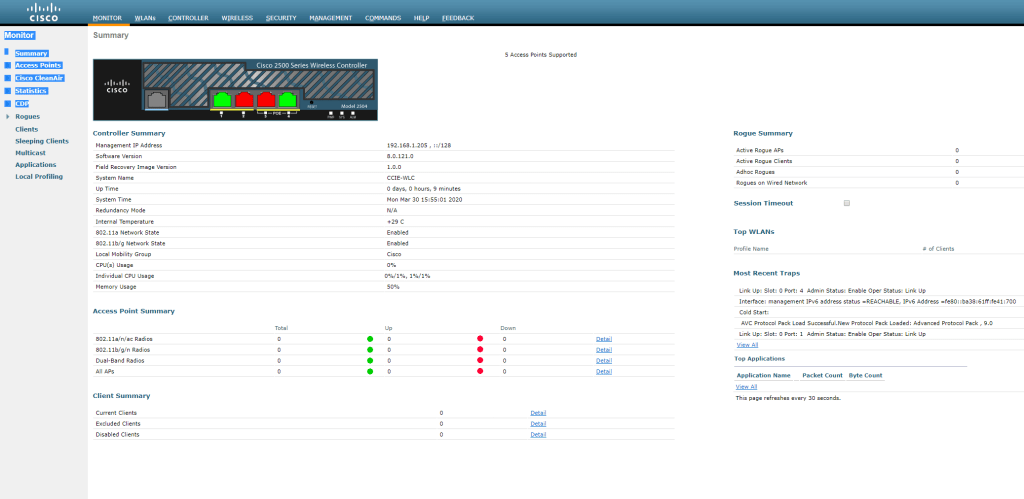
There we go… after a while the WLC will be back again and we can navigate through a local browser to the IP-Address defined during the setup.

Have fun!
 I bit, therefore I byte